Quality of life: NPC chat, the trade window, your own shop and more
Small things you use a hundred times a day. Talking to NPCs without typing, an item card on every item, a sell list that never takes what you love, and your own shop to sell to other players, even while you are away.
NPC chat1 clickright-click to talk
Player shop12 offers6 on a free account
Shop fee2%98% goes to your bank
Tooltipevery itembackpack, NPC, shop
Paymentbag + bankNPCs and shops
Talking to NPCs
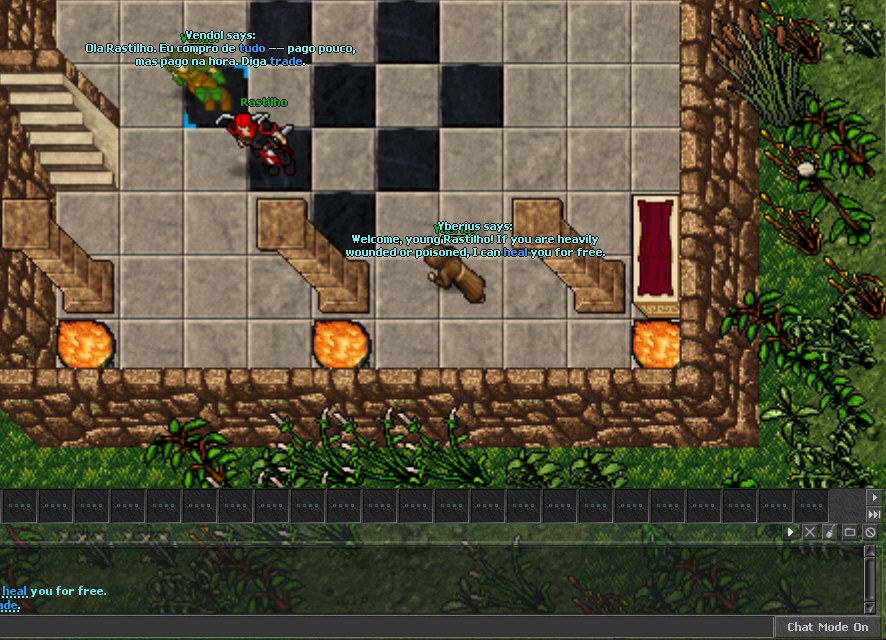
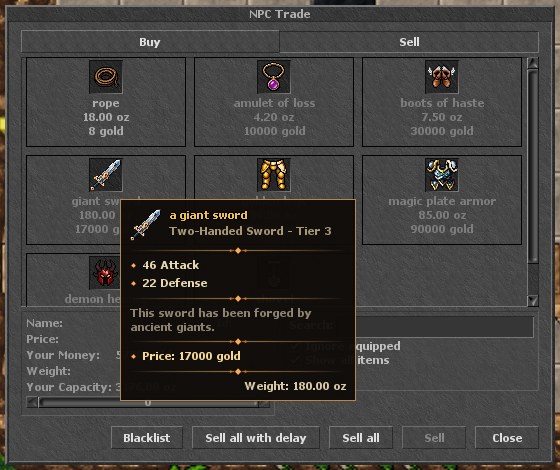
Right-click Vendol, he answers in the NPCs tab, click the blue word trade and the shop opens. Hover an item to see its card.
Right-click an NPC to talk: the client says hi for you in the NPCs tab. The menu also has Trade, which says hi and trade in one go.
The blue words in what the NPC says are clickable: click trade, heal, a city or a quest name and the client says it for you.
Too far away? The client tells you, instead of talking to nobody. NPCs hear you from up to 3 squares.
NPC answers stay in their own tab, with the keywords highlighted.
Buying and selling with NPCs
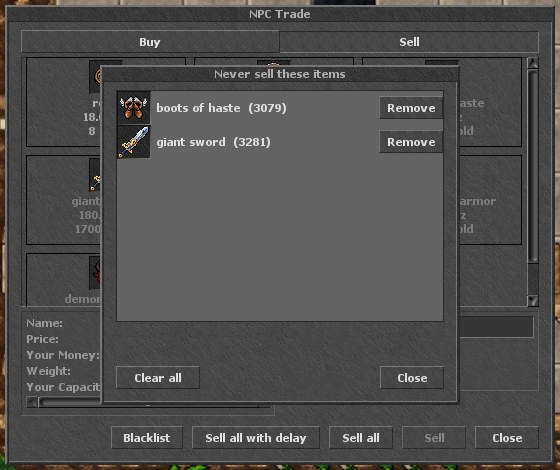
Hover any item in the NPC window: name, type, tier, stats, price and weight.The Blacklist: items that "Sell all" never sells.
NPCs charge your backpack first and the bank for the rest: shops, boats, blessings. The window shows backpack + bank as your money.
Big shops that buy hundreds of items show only what you actually have to sell.
Sell all sells in small batches, so a full loot pouch no longer disconnects you.
Blacklist: right-click an item in the Sell tab (or "Block sale" on any item in your backpack) and "Sell all" will never sell it. Rare, Epic and Legendary items never even appear in an NPC sell list.
Mana potion costs 60 gold at every NPC.
Your own shop
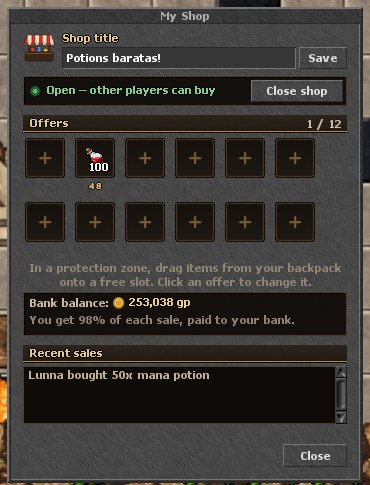
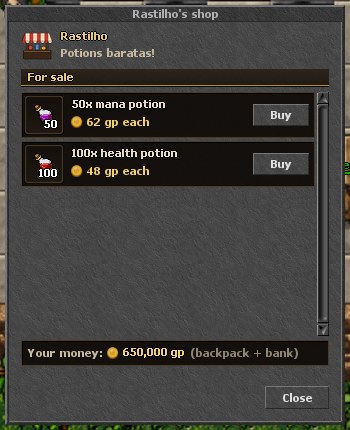
My Shop: drag items from your backpack into a free slot, set the price, give the shop a title and open it. Recent sales show who bought what.Other players right-click you, see your offers and buy. The money comes from their backpack and bank.
Open it with Ctrl+click on your own character → My shop, inside a protection zone.
12 offers on a premium account, 6 on a free account. Prices from 1 to 100,000,000 gold per unit, stacks of up to 100.
98% of every sale goes straight to your bank; 2% is destroyed (a fee that keeps the economy healthy).
While the shop is open you cannot walk and you are not kicked for being idle, so it keeps selling while you are away. Logging out closes it and your items stay safe.
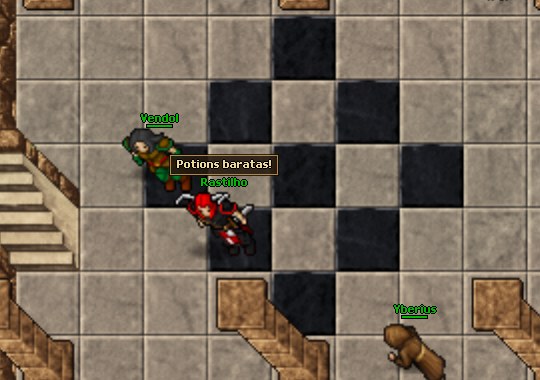
A sign over your head shows the title of your shop, so buyers can find you in town.
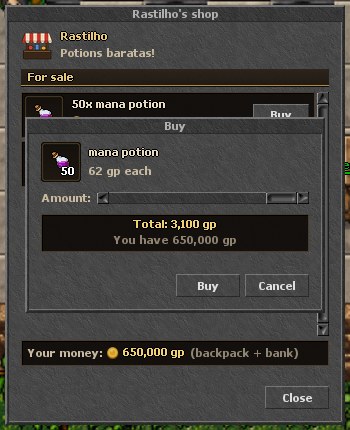
The shop sign over the seller, in the Venore temple.Buying: pick the amount and see the total before you confirm.
Trading with players
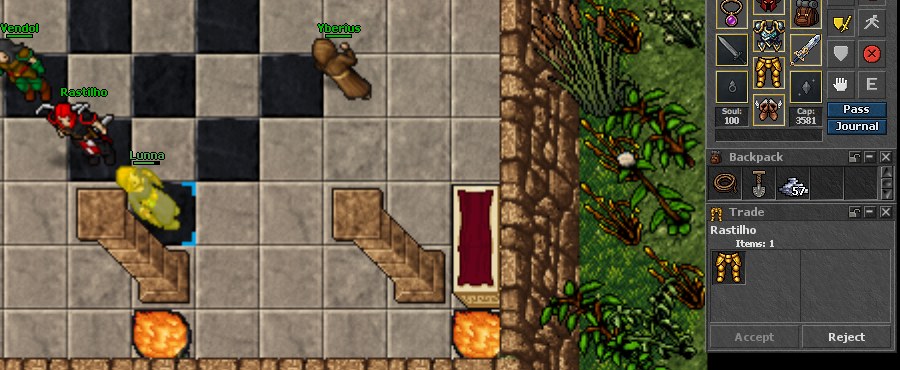
The classic trade: right-click an item, Trade with..., click the player. Both sides see the items and accept.
The classic Trade with... is still there for direct deals: offer items, see the other side, both accept.
The Trade chat channel is the place to announce what you buy and sell.
And more
CARD
Item tooltips
Hover any item in your backpack, inventory, NPC window or a player shop to see stats, tier, rarity, level, vocation and weight.
MENU
Item shortcuts
Right-click an item: add it to your autoloot list, block it from sale, open it in the Encyclopedia.
TIME
Duration on items
Soft boots and other timed items show the time left in a small corner, without covering the item.
MEMORY
Everything stays open
Backpacks, the quiver, the trackers and the expanded minimap come back as you left them, after login and after the global save.
The action bar updates the number of runes and potions the moment you use one, and shows the cooldown.
The whole map is lit, surface and underground: no more hunting in the dark.


 Português
 Español
 Polski